Introduction
Academic writing demands precision, clarity, and coherence, making the editing process crucial for delivering high-quality manuscripts. However, many writers find the proofreading stage labor-intensive and time-consuming. Traditional proofreading methods, such as reading text on paper or screen, can lead to oversights, particularly in lengthy or complex documents. This is where visual proofreading tools come into play.
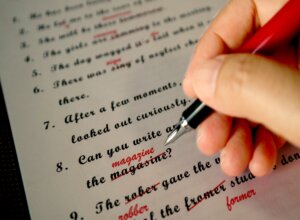
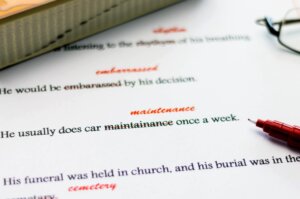
Visual proofreading tools leverage technology to provide writers with innovative ways to review their work. These tools often highlight grammatical errors, suggest style improvements, and identify inconsistencies in formatting or citation. By providing visual cues, they make it easier for writers to spot the mistakes and enhance the overall quality of their writing.[1]
These tools can help streamline the editing process, allowing writers to focus on content rather than getting bogged down in the minutiae of grammar and punctuation. As academic writing continues evolving in response to technological advancements, utilizing visual proofreading tools has become essential for enhancing editing efficiency. This article will explore applying these tools in academic writing, showcasing best practices and resources that can significantly improve the editing process.
How to Enhance Editing Efficiency in Academic Writing
Utilizing visual proofreading tools effectively in academic writing involves several practical strategies. First, writers should select tools that align with their specific needs. Popular options include Grammarly, Hemingway Editor, and ProWritingAid, each offering unique features tailored to different aspects of writing and editing. For instance, Grammarly excels at grammar and punctuation checks, while Hemingway focuses on readability and sentence structure.[2]
Once a tool is selected, integrating it into the writing workflow is key. Writers can draft their work in a word processor, then copy and paste the text into the proofreading tool for analysis. Many tools also offer browser extensions or integrations with word processors, allowing for real-time feedback as the writer composes their text.
Visual proofreading tools typically provide color-coded highlights and suggestions, making it easy to identify errors and areas for improvement. Writers can prioritize corrections based on severity or type, addressing critical issues before moving on to stylistic enhancements. Additionally, utilizing features such as readability scores and word count analysis can help writers refine their work further.[3]
Writers need to remain engaged in the editing process. While these tools provide valuable assistance, they should complement, not replace, a writer’s critical eye. Regularly reviewing suggested changes ensures that the final manuscript reflects the author’s voice and intent.[4]
Best Practices for Utilizing Visual Proofreading Tools
When it comes to utilizing visual proofreading tools effectively in academic writing, several best practices can enhance the editing experience:
- Choose the Right Tool: Depending on your writing needs, select a visual proofreading tool that best fits your style. For example, Grammarly is excellent for grammar and style checks, while Hemingway Editor is ideal for improving readability. Exploring different tools can help you find the one that most enhances your writing process.[5]
- Integrate into Your Workflow: Incorporate proofreading tools into your writing process using them with your word processor. Many tools offer integrations or browser extensions that provide real-time feedback, making it easier to catch errors as you write.[6]
- Review Suggestions Critically: While visual tools offer helpful suggestions, evaluating their recommendations is essential. Not all suggestions may align with your intended meaning or academic style. Always apply your judgment to ensure the final output reflects your voice.[7]
- Utilize Visual Features: Take advantage of the visual elements that proofreading tools provide, such as color-coded errors and highlights. These features make it easier to identify patterns in your writing that may need attention, such as overuse of passive voice or complex sentences.[8]
- Combine with Manual Proofreading: After utilizing visual proofreading tools, conduct a final manual proofreading of your document. This step is crucial for catching nuances that automated tools may miss, such as context-specific terminology or unique formatting requirements.[9]
By following these best practices, writers can significantly enhance their editing efficiency and improve the overall quality of their academic writing.
Conclusion
Visual proofreading tools have transformed the editing landscape in academic writing. By providing immediate feedback and enhancing the clarity of written work, these tools empower writers to improve their manuscripts efficiently. This article has highlighted the various ways to apply these tools effectively, including selecting the right software, integrating it into the writing process, and maintaining a critical approach to the suggestions provided.
As academic writing demands continue to grow, embracing technology in the editing process becomes increasingly essential. Visual proofreading tools streamline the editing workflow and allow writers to focus on the content and ideas they wish to convey. By following best practices and utilizing available resources, academic writers can enhance their editing efficiency, resulting in clearer, more polished manuscripts.
The integration of visual proofreading tools represents a valuable investment in the writing process. As these technologies evolve, staying informed about new features and best practices will ensure that writers remain at the forefront of effective academic communication.
Take Away
Visual proofreading tools are essential for enhancing editing efficiency in academic writing. By leveraging technology, writers can focus on their ideas while improving the clarity and quality of their work.
[1] Cambridge Assessment. (2020). What impacts success in proofreading? A literature review of proofreading on screen vs. on paper. Available at: https://www.cambridgeassessment.org.uk/Images/666540-what-impacts-success-in-proofreading-a-literature-review-of-proofreading-on-screen-vs-on-paper.-.pdf
[2] Grammarly. (2019). 14 Editing Resources to Improve Your Editing Skills. Available at: https://www.grammarly.com/blog/writing-process/editing-resources/
[3] Microsoft Support. Get your document’s readability and level statistics. Available at: https://support.microsoft.com/en-us/office/get-your-document-s-readability-and-level-statistics-85b4969e-e80a-4777-8dd3-f7fc3c8b3fd2
[4] Long, B. (2024). What is proofreading? Hemingway Editor. Available at: https://hemingwayapp.com/articles/proofreader/what-is-proofreading
[5] ProWritingAid. (2025). Grammarly vs. Hemingway vs. ProWritingAid: Which writing tool is best for you? Available at: https://prowritingaid.com/hemingway-vs-grammarly
[6] Grammarly. (2025). Grammarly for Microsoft Word. Available at: https://www.grammarly.com/microsoft-word
[7] Stickler Proofreading. (2024). Why human proofreaders continue to outshine AI: The art of language and nuance. Available at: https://www.sticklerproofreading.com/why-human-proofreaders-continue-to-outshine-ai-the-art-of-language-and-nuance/
[8] ProWritingAid. (2021). How color-coded proofreading tools improve writing. Available at: https://www.prowritingaid.com/en/Blog/Article/color-coded-proofreading-tools
[9] Microsoft Support. Get your document’s readability and level statistics. Available at: https://support.microsoft.com/en-us/office/get-your-document-s-readability-and-level-statistics-85b4969e-e80a-4777-8dd3-f7fc3c8b3fd2